INSTAGRAM TRANSCRIPT · PUBLIC REEL TO TEXT

Instagram Transcript Generator

Turn a public Instagram Reel or video post into clean, readable text. Paste the link, review the spoken words in segments, then copy or export your Instagram Video Transcript.

This Instagram Transcript tool works with public Reels and video posts. Private or restricted posts cannot be read.

5 credits per transcript

Sign in to use your credits. Failed requests are refunded automatically; your link is used only to create this Instagram Video Transcript.

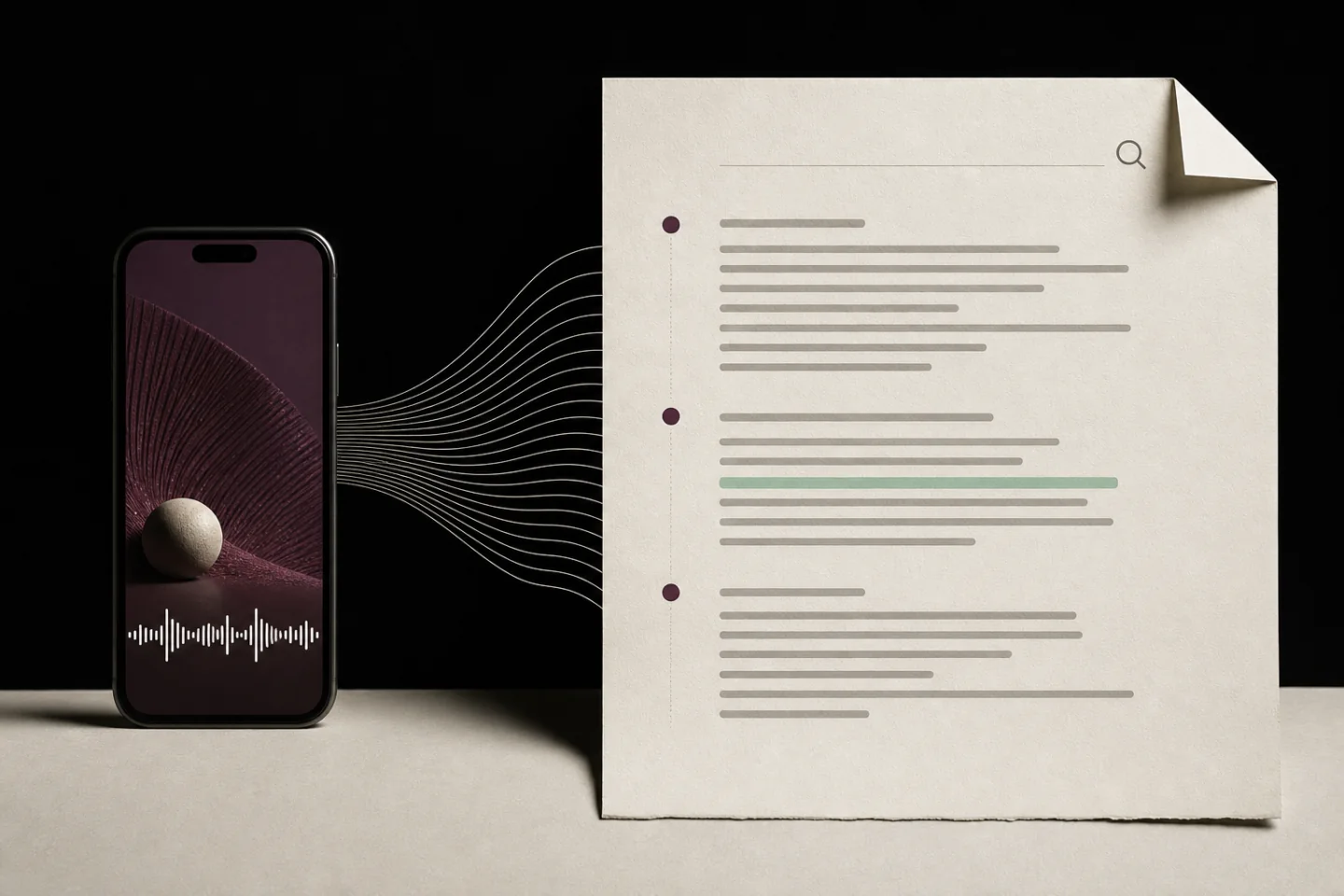
A phone video flowing into a structured transcript sheet with highlighted searchable lines.

ONE PUBLIC VIDEO. THREE USEFUL OUTPUTS.

Follow the spoken thread — keep the source.

A visual preview of the path from public video audio to a searchable working transcript.

A PRODUCT SURFACE, NOT A TEXT DUMP

Turn a public Reel into a source you can actually use.

The Instagram Transcript stays connected to the public post while giving you a clean reading surface. Review the spoken thread, locate the useful line, then carry an Instagram Video Transcript into the next piece of work without losing the original context.

  1. 01

    Read the spoken thread

    The Instagram Video Transcript returns the audio as clean, readable segments, even when a public Reel has no native captions.

  2. 02

    Find the line that matters

    Filter the Instagram Transcript to locate a quote, product detail, or research note without scrubbing through the video again.

  3. 03

    Carry the context forward

    Copy the complete Instagram Video Transcript or export a TXT file, while keeping the original public URL close at hand.

A PRACTICAL INSTAGRAM TRANSCRIPT GUIDE

Make an Instagram Video Transcript useful after the Reel ends

An Instagram Transcript gives you a text layer for a public Reel or video post, so useful spoken details do not disappear in a fast-moving feed. Instead of replaying a clip to capture one line, you can scan the words, quote the relevant sentence, and keep context beside the original link. An Instagram Video Transcript is especially helpful when you need to verify a claim, compare several posts, or turn a spoken idea into a brief, caption, note, or outline.

Viblo AI makes an Instagram Transcript from the public video audio and returns the text in readable segments. Start with the original public URL, then review the result before you reuse it. An Instagram Video Transcript is a working reference, not a replacement for the source video: keep the link nearby, preserve the speaker’s intended meaning, and check any names, numbers, or claims that matter to your work.

Who uses an Instagram Transcript?

A searchable Instagram Video Transcript helps different teams move from a short-form video to an organized next step. The same Instagram Transcript can support editorial work, campaign research, accessibility notes, and a more deliberate review of public content.

Creators turn an Instagram Transcript into a draft

For a creator, an Instagram Video Transcript makes it easier to turn a spoken hook into a caption, newsletter idea, carousel outline, or follow-up script. The Instagram Transcript helps you find the exact wording that made a point clear, while the source URL keeps the original context available. Use it to develop your own work and credit the original creator when their ideas or words are central to what you publish.

Marketing teams compare public messages

Marketing teams use an Instagram Transcript to review recurring product language, calls to action, and audience questions across public Reels. An Instagram Video Transcript lets a team search phrasing without repeatedly scrubbing through video. It can inform a messaging brief or a competitive review, but it should not be treated as permission to copy another brand’s creative expression, campaign assets, or confidential information.

Researchers keep source-backed notes

A searchable Instagram Video Transcript is useful when a researcher needs to collect a quote, locate a statistic, or compare statements from multiple public posts. Each Instagram Transcript should stay connected to its source URL and the date you viewed it. That small habit makes it easier to revisit the video, distinguish a direct quote from a summary, and avoid relying on a transcript when the original post has changed or been removed.

A careful Instagram Transcript workflow

Use this Instagram Video Transcript workflow when the words from a Reel need to become a reliable working note. It keeps the original public source, the generated text, and your eventual reuse clearly separated.

  1. 01

    Begin with the public source

    Open the Reel or video post in Instagram and copy its complete public URL. A valid Instagram Transcript request uses that direct link, not a profile page, private share, or screenshot. Confirm that the post is public and available before you submit it, because an Instagram Video Transcript cannot be created from restricted content.

  2. 02

    Review the generated wording

    Read the Instagram Transcript against the video when you are using exact wording, product names, dates, or figures. An Instagram Video Transcript can make review faster, yet audio quality, accents, overlapping speech, and music can affect individual words. Correct a line in your own notes when needed and return to the public source before making a high-stakes decision.

  3. 03

    Reuse with context and care

    Search the Instagram Video Transcript for the line you need, then copy the full text or export a TXT file. An Instagram Transcript is useful for a research log, a content brief, or accessibility planning. When you publish a quotation or reference, follow the applicable platform rules, respect the creator’s rights, and provide context instead of presenting a short excerpt as the whole message.

What affects Instagram Transcript quality?

An Instagram Video Transcript is most useful when speech is clear, one speaker talks at a time, and the public video has a stable audio track. The Instagram Transcript may need a quick human review when music is loud, several people speak over each other, a name is uncommon, or the speaker changes languages. Treat the generated text as a fast first pass and use the source Reel to resolve anything that needs precision.

An Instagram Transcript captures spoken audio; it does not verify on-screen text, identify private context, or establish whether a claim is true. An Instagram Video Transcript may also omit nonverbal meaning such as tone, pauses, gestures, or visual demonstrations. Keep that limit in mind when you summarize a public post. For important research, retain the original URL and record the time or date of your review alongside the generated transcript.

Use the transcript as a thoughtful working reference

An Instagram Transcript is a reference, not a verdict

An Instagram Transcript is a convenience layer over a public video, not an independent source of truth. An Instagram Video Transcript represents what the audio model heard at a particular moment, while the Reel remains the primary source for wording, delivery, and visual context. Keep the URL with your note, return to the Instagram Transcript when you need to find a line quickly, and then watch the relevant moment before making a consequential claim. That habit makes an Instagram Video Transcript more useful for careful research without giving it more authority than the original post.

Pair an Instagram Video Transcript with visual context

A speaker may point to a chart, demonstrate a product, react to another person, or use words whose meaning depends on what appears on screen. An Instagram Video Transcript makes the spoken part searchable, but it cannot reproduce those visual cues. Read an Instagram Transcript alongside the public Reel when you need the full point. If you share a finding from an Instagram Video Transcript, explain whether it is a direct quote, a paraphrase, or your own interpretation, and avoid pulling a sentence away from the scene that gives it meaning.

Reuse an Instagram Transcript responsibly

An Instagram Transcript can speed up legitimate work such as accessibility preparation, personal research notes, a creative brief, or a response that cites a public statement. It does not transfer ownership of the video, words, music, or visual assets. Before you publish material found through an Instagram Video Transcript, consider attribution, quotation limits, platform rules, and the rights that apply in your location. Keep an Instagram Transcript focused on the purpose you need, retain the source link, and ask for permission when the reuse goes beyond a short, contextual reference.

Build a small review trail when several people will use the same public material. An Instagram Transcript can sit beside the source URL, the review date, and a short note explaining why the post matters. Saving an Instagram Video Transcript with that context lets a teammate understand what was checked instead of treating a detached block of text as complete evidence. During a handoff, use the Instagram Transcript to locate a passage, then ask the next reviewer to open the Reel and confirm the relevant moment. If a decision, publication, or client recommendation depends on the wording, note whether the Instagram Video Transcript was reviewed by a person and whether any corrections were made. That lightweight record supports a clearer workflow, reduces accidental misquotation, and keeps the public source at the center of the work.

Instagram Transcript FAQ